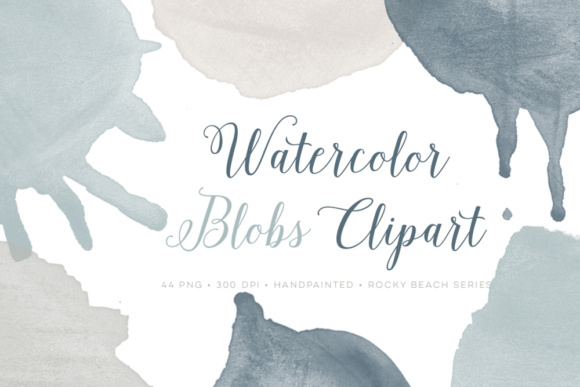
Watercolor Blob Splattered Clip Art: A Versatile Tool for Creative Designers
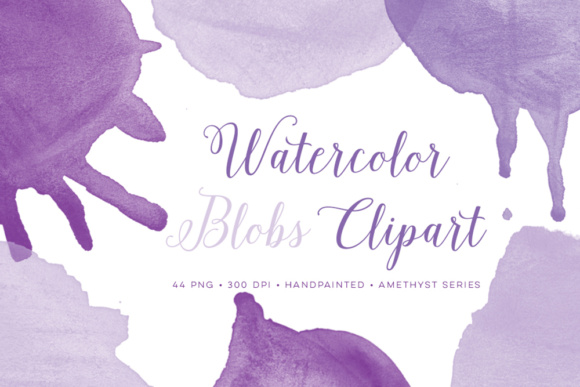
Watercolor Blob Splattered Clip Art is a unique and expressive design resource that brings a soft, organic feel to digital projects. Whether you're working on a logo, scrapbook layout, or marketing material, these clip art elements can add visual interest and personality to your work. With 44 high-resolution PNG files, each available in four different colors from the Rocky Beach palette, this collection offers flexibility and creativity for designers of all skill levels.
Why Watercolor Blob Splattered Clip Art?
These blob splatter designs are ideal for adding texture and movement to otherwise flat compositions. Their abstract shapes mimic the natural flow of watercolor paint, making them perfect for projects that aim to evoke a sense of spontaneity or artistic flair. The 300 DPI resolution ensures crisp details, while the 4-inch (or larger) dimensions make them suitable for both small and large-scale applications.
With 11 distinct designs and four color variations per design, you have the freedom to match your project's aesthetic without needing to create custom artwork from scratch. This makes the collection especially valuable for those looking to streamline their workflow and focus more on the creative aspects of their projects.
Common Mistakes When Using Watercolor Blob Splattered Clip Art
While these clip art elements offer great potential, there are common pitfalls that can affect the outcome of your design. Here are some mistakes to avoid:
- Ignoring Resolution Requirements: It’s easy to overlook the importance of file resolution when selecting clip art. Always check that the PNGs are at least 300 DPI for print use. Lower resolution images may appear pixelated or blurry when enlarged.
- Overusing Elements: While it's tempting to fill a page with splatters, overuse can lead to clutter and distract from the main message of your design. Use these elements sparingly to maintain visual balance.
- Misjudging Color Compatibility: Although the Rocky Beach palette includes four color options per design, not every color may be suitable for your project. Always preview how the colors interact with your background and other design elements before finalizing your layout.
- Not Checking File Sizes: Some of the PNGs are closer to 6 inches in size, which may not be ideal for certain applications. Make sure to review the file dimensions and scale them appropriately to fit your needs.
How to Choose the Right Clip Art for Your Project
Selecting the right Watercolor Blob Splattered Clip Art involves more than just picking an appealing design. Consider the following factors to ensure your choice enhances rather than hinders your project:
- Project Purpose: Are you designing for print or digital use? For print, prioritize high-resolution files, while digital projects may allow for slightly lower resolutions depending on the platform.
- Color Scheme: Preview each color option against your project's background. If your design has a limited color palette, choose clip art that complements rather than clashes with it.
- Design Complexity: If your project already has intricate details or patterns, opt for simpler blob splatters to avoid overwhelming the viewer.
- License Restrictions: Ensure that the clip art comes with a license that allows for commercial use if needed. Always read the download details carefully before purchasing.
Practical Tips for Using Watercolor Blob Splattered Clip Art
To get the most out of these clip art elements, consider the following best practices:
- Layer Elements Thoughtfully: Use layers to place the blob splatters in the background or foreground as needed. This gives you greater control over how they interact with other design elements.
- Experiment with Transparency: Adjusting the opacity of the PNGs can help blend them seamlessly into your design. This is especially useful when creating a soft, watercolor-inspired look.
- Combine with Other Textures: Pair the blob splatters with other watercolor textures or brush strokes for a cohesive, hand-painted effect.
- Use as Background Elements: These clip art pieces can serve as subtle background accents, adding depth and interest without drawing too much attention away from the main content.
Realistic Examples and Better Approaches
Imagine you're designing a digital scrapbook page featuring a travel theme. Instead of placing multiple blob splatters across the entire page, use one or two strategically placed splatters near the edges to frame the content. Choose a muted color from the Rocky Beach palette that blends well with the overall design.
If you're working on a logo for a boutique brand, consider using a single blob splatter as a decorative accent around the text. This adds character without overpowering the brand name. Always test different placements and color combinations to find what works best for your specific project.
Final Thoughts on Watercolor Blob Splattered Clip Art
Watercolor Blob Splattered Clip Art is a valuable asset for any designer looking to add a touch of elegance and creativity to their work. By avoiding common mistakes and choosing the right elements for your project, you can elevate your designs and achieve professional results. Whether you're a beginner or an experienced designer, these clip art resources provide endless possibilities for enhancing your creative output.