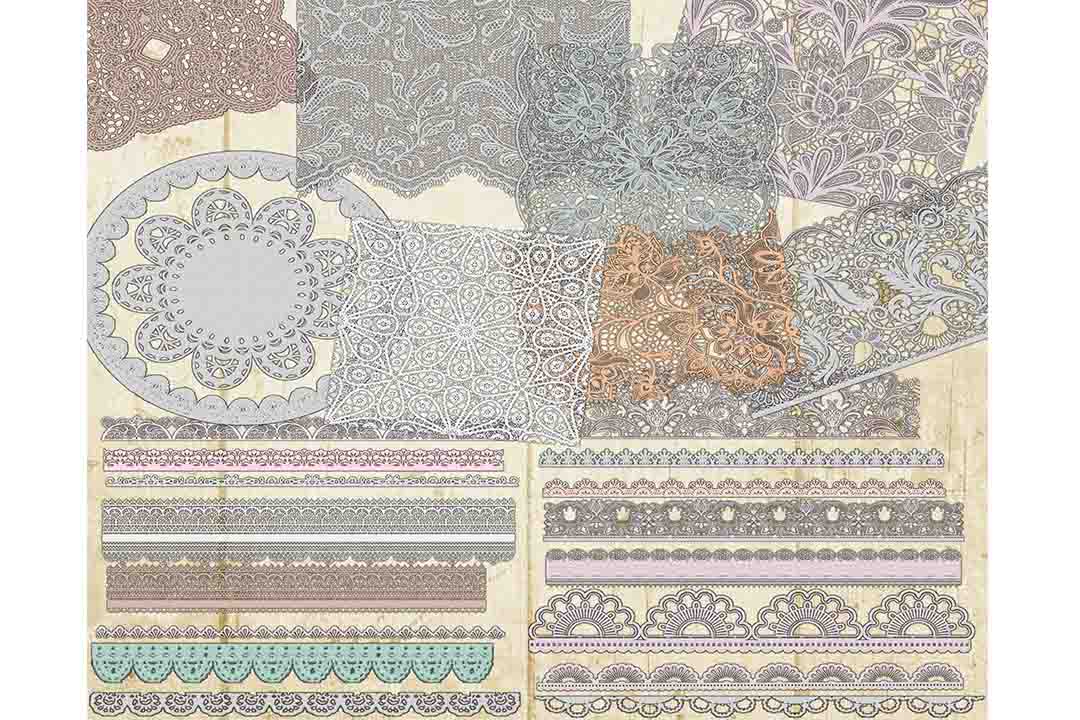
Doily Clip Art: A Designer’s Essential Tool for Creative Projects
Doily clip art has become a staple in the creative world, offering a blend of elegance and versatility that appeals to designers, photographers, scrapbookers, and more. Whether you're crafting wedding invitations, designing digital layouts, or enhancing print materials, doily clip art can elevate your work with its delicate patterns and timeless charm. However, navigating the world of doily clip art requires more than just downloading files—it involves understanding quality, application, and best practices to ensure your projects look professional and polished.
What Is Doily Clip Art?
Doily clip art refers to high-quality digital images featuring intricate lace, floral motifs, and vintage patterns typically associated with doilies—those classic decorative items once used to cover furniture or protect surfaces. These designs are often available in transparent backgrounds, making them ideal for layering over text, photos, or other graphics. They come in various styles, including digital lace, border clip art, and vintage lace patterns, all of which can be used across both web and print platforms.
When choosing doily clip art, it's important to consider the intended use. For example, a delicate floral pattern may suit a wedding invitation, while a bolder border design might work better for a scrapbook layout. Understanding the purpose of your project helps you select the most appropriate style and detail level.
Common Mistakes When Using Doily Clip Art
Despite its popularity, many users make mistakes when working with doily clip art that can affect the final outcome of their projects. One common error is assuming that all doily clip art is created equal. While some files are high-resolution and suitable for print, others may be low quality or compressed, leading to pixelation or poor clarity when scaled up.
Another mistake is not checking the resolution and file size before purchasing or downloading. High-quality doily clip art typically comes in PNG format with a resolution of 300 ppi or higher. Files with lower resolution (e.g., 72 ppi) may appear fine on screen but will look blurry when printed or used in larger formats.
Additionally, some users overlook the importance of transparent backgrounds. While this feature is essential for seamless integration into designs, it also means that the file must be properly formatted and free of any unwanted elements such as borders or watermarks. Always inspect the image closely before using it in your project.
How to Avoid Common Pitfalls
To avoid these issues, start by researching the source of your doily clip art. Reputable providers offer detailed information about file types, resolutions, and usage rights. Look for packages that include multiple high-quality PNG files with separate designs, as this gives you more flexibility in your creative process.
Before downloading, check the file specifications. Ensure that each design is on a transparent background and that there are no embedded fonts or layers that could cause problems when editing. Also, verify that the files are compatible with your design software—most modern programs like Adobe Photoshop, Illustrator, or Canva support PNG files without issues.
If you're unsure about the quality of a particular doily clip art package, consider reading reviews or reaching out to the seller for clarification. Many creators provide previews or samples to help users make informed decisions. This step can save time and prevent frustration later on.
Realistic Examples and Better Approaches
Let’s say you’re designing a wedding invitation and want to incorporate a vintage lace pattern. You might initially choose a doily clip art that looks nice at a small size but fails to maintain clarity when printed at full scale. This could result in a poorly rendered design that doesn’t meet your expectations.
A better approach would be to select a high-resolution doily clip art with a transparent background. This allows you to place the design precisely where needed without worrying about overlapping elements. Additionally, using a design tool that supports layered transparency ensures that your final output remains clean and professional.
For scrapbooking enthusiasts, using separate PNG files for each design offers greater control over the layout. Instead of relying on a single, complex image, you can mix and match different patterns to create a unique composition. This method also makes it easier to adjust individual elements if needed.
What to Check Before Making a Decision
Before committing to a doily clip art purchase, take the time to review the following:
- Resolution and PPI: Ensure that the files are high enough for your intended use—300 ppi is standard for print, while 72 ppi is acceptable for web.
- Transparent Background: Confirm that the design is on a transparent background and free from any unwanted elements.
- File Format: Choose PNG files for best compatibility and quality, especially when working with layered designs.
- License and Usage Rights: Verify whether the clip art is royalty-free or requires attribution, depending on how you plan to use it.
- Number of Designs: Opt for a package that includes multiple designs rather than a single image, giving you more options for creativity.
By carefully evaluating these factors, you can ensure that your doily clip art enhances your projects without compromising quality or usability.
Conclusion
Doily clip art is a valuable resource for creators looking to add elegance and sophistication to their work. However, success with these designs depends on understanding their characteristics, avoiding common pitfalls, and selecting the right tools and resources. With the right approach, doily clip art can become an essential part of your creative toolkit, helping you achieve professional results across a wide range of applications.